

Your store’s books,
right from the first invoice
Sanad Soft is an accounting system for small and medium stores: tax invoices with a QR code, stock at accurate cost, automatic journal entries and financial reports — on your phone and on the web with one account.
Free plan to start · no credit card
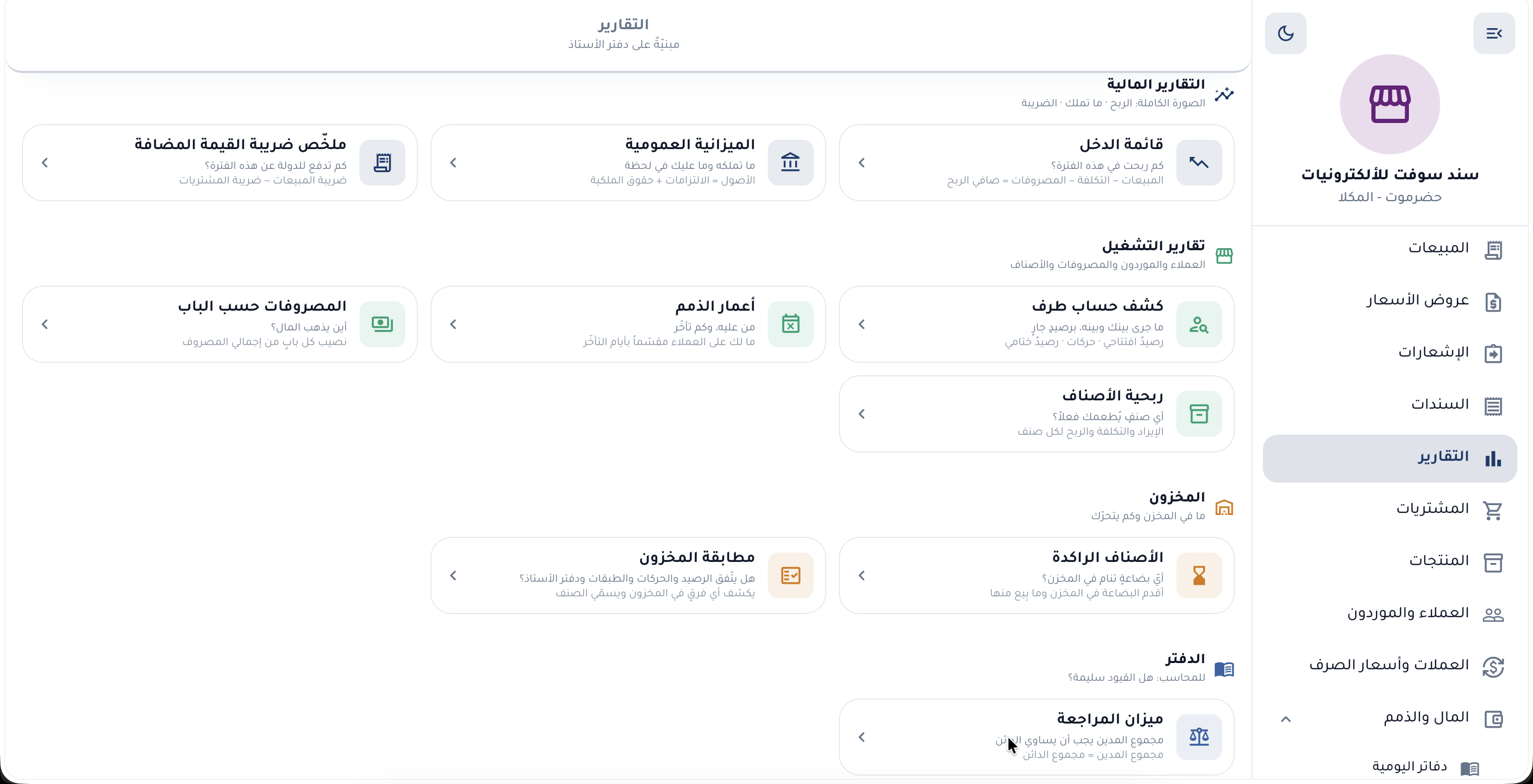
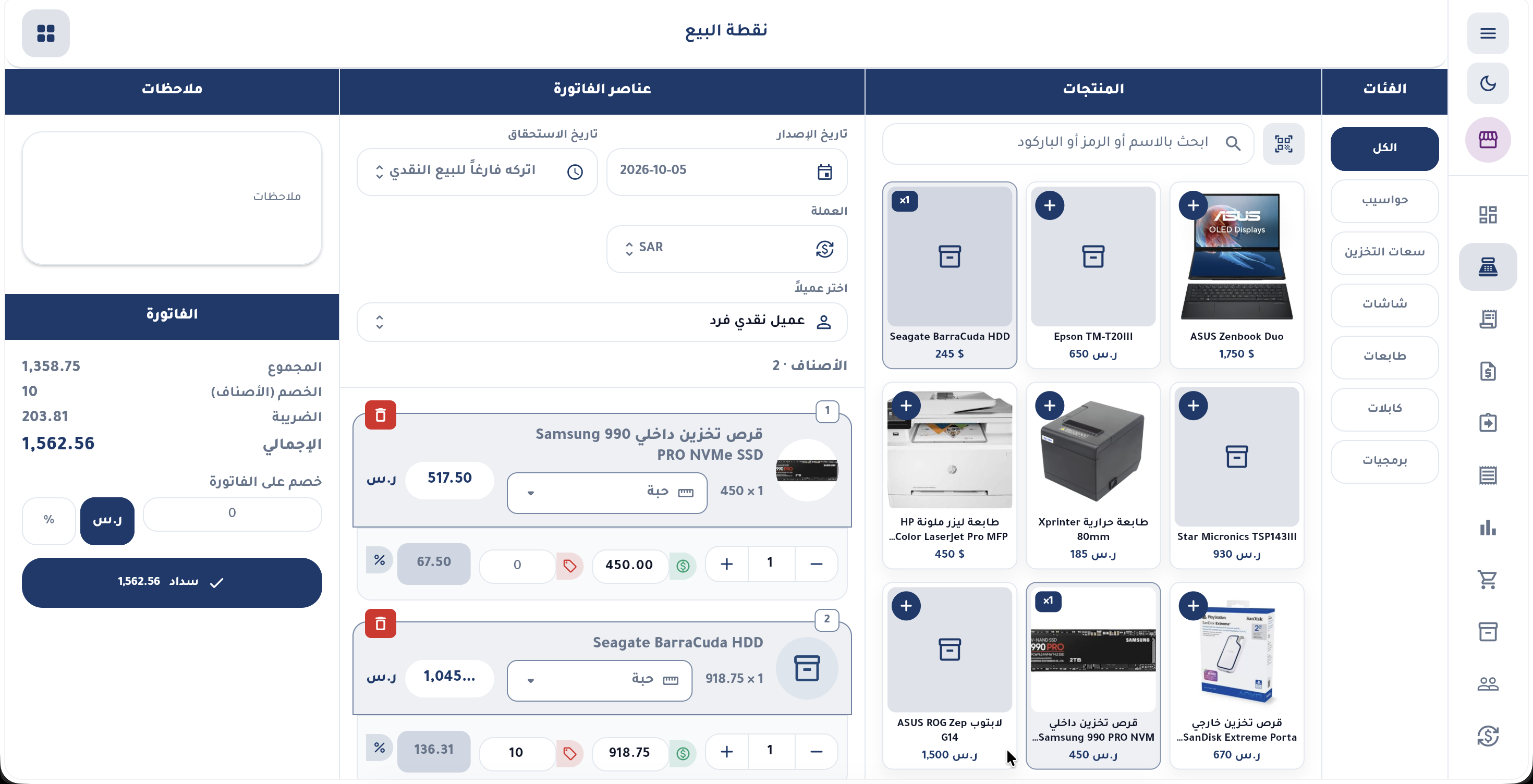
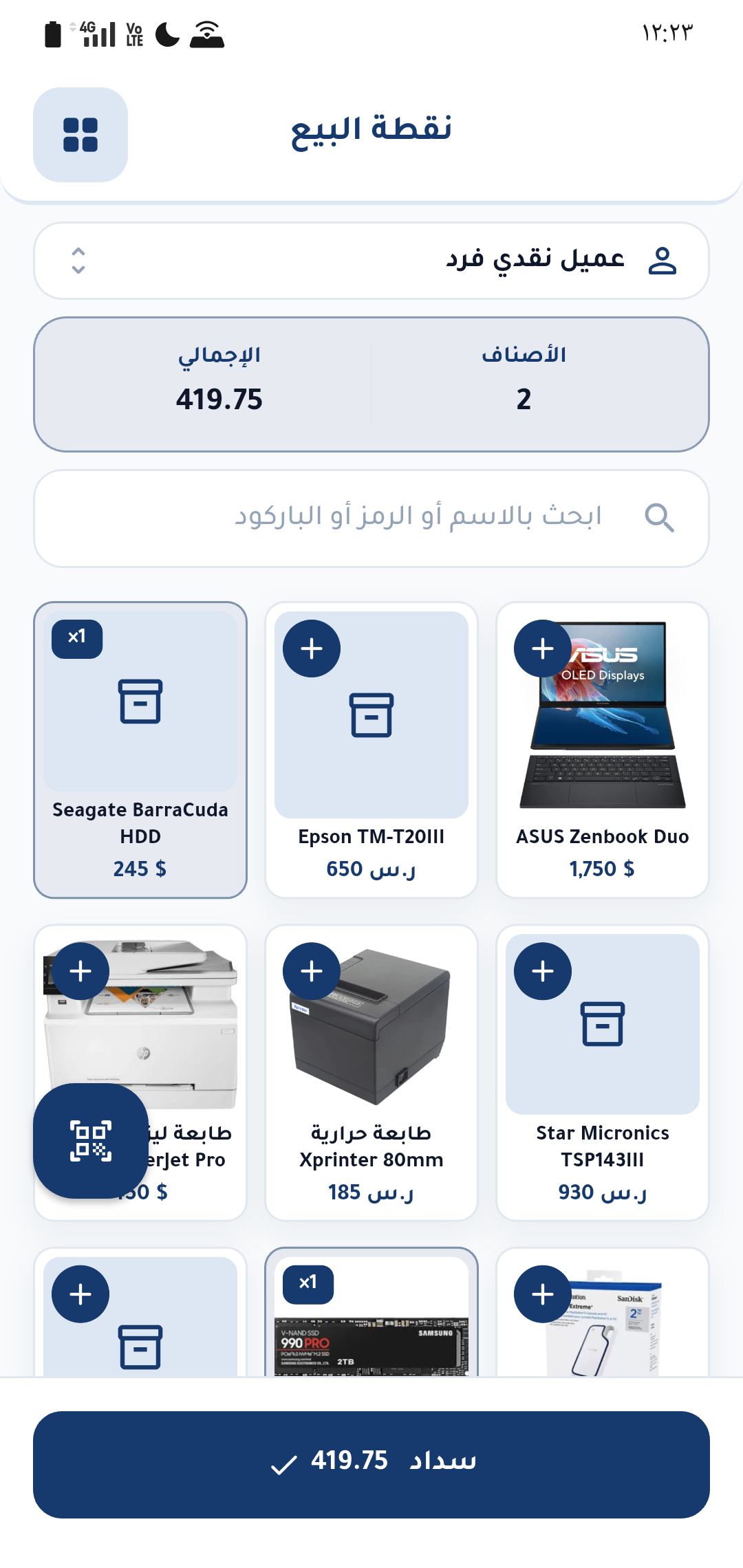
Everything your store needs, in one place
Five areas working together on the same books. Pick one to see what it offers.
Sell the way your store works
From a fast cashier screen to a full tax invoice — with returns and corrections that keep an audit trail.
- Tax invoice with QRVAT number, VAT breakdown and the QR code, automatically.
- Fast point of saleAn item grid, a cart, and barcode scanning with the phone camera.
- Quotations that become invoicesA quotation touches neither stock nor balances until you convert it.
- Returns, credit and debit notesCorrections are made with a reversing document, never by editing the invoice.
- Partial payments and receiptsCollect in instalments; the customer balance stays up to date.
- PDF with your logoShare or print the invoice with your own branding.
Stock that knows what it cost you
Every purchase invoice brings in the quantity and its cost together, so stock value and item profit are always worked out.
- Purchase invoicesQuantity and cost enter stock in a single step.
- Weighted-average costingFIFO is available on paid plans.
- Stock count and transferReconcile the physical count with the books and move goods with a document.
- Multiple units per itemSell by piece or by carton; the price is stored on its own unit.
- Automatic free quantitiesBuy-X-get-Y rules are applied at the point of sale.
- Categories, brands and barcodesAn organised catalogue that is easy to search and sell from.
Proper books without an accountant at your side
Every invoice and voucher posts its own journal entry, and the ledger is never edited after the fact — it is corrected with a reversing entry.
- Automatic journal entriesThe double entry is posted the moment you save the document.
- Receipt and payment vouchersCollect from customers and pay suppliers and expenses.
- Cash and bank journalsA separate balance for every cash box and bank account.
- Trial balanceCheck that your books balance at any moment.
- Categorised expensesSee where the money goes: rent, salaries, utilities…
- Multiple currenciesThe exchange rate is frozen on each document — on paid plans.
Numbers you can decide on
Financial and operational reports calculated straight from your books, for the period and branch you choose.
- Income statement and balance sheetYour profit and loss and your financial position.
- VAT summaryOutput VAT, input VAT and the net amount due.
- Statements and aged receivablesWho owes you, how much, and for how long.
- Item profitabilityWhich items really earn and which sell with no margin.
- Slow-moving itemsIdle stock ties up cash — spot it early.
- PDF exportShare or print the report with your business header.
Every staff member sees only their part
Add staff and branches on paid plans; permissions are enforced by security rules on the server, not by the interface.
- Four rolesOwner, manager, accountant, cashier.
- Cost hidden from cashiersCost of goods and profit never even reach the cashier’s device.
- Multiple branchesStock, numbering and reports for each branch.
- Automatic syncWhat your staff record shows up on your side with no extra step.
- A full copy of your dataExport everything in a single file whenever you like.
- Arabic and English · light and darkEach person picks what suits them on their own device.
One invoice… and everything updates
No double entry: when you save the invoice, Sanad Soft takes care of the rest.
- Stock goes down
- The journal entry is posted
- VAT is calculated
- The customer balance updates
- Reports change
- 1Create your accountSign up with your email and enter your business details and VAT number — once.
- 2Add your itemsProducts, customers and your opening stock. A name and a sale price are enough to start.
- 3Issue your first invoiceFrom the point of sale or the invoice editor, and share it as a PDF with your customer.
Your books are yours
We are an accounting system, not an advertising company. Your financial data is used to run your store and nothing else, and you can take a full copy whenever you like.
Read the Privacy PolicyStart free, subscribe when your store grows
The free plan is enough to start and try things out, with a monthly limit and no commitment. When you need more, paid plans are purchased in the mobile app (Android and iPhone) — and your plan activates automatically on your web account.
- One account on mobile and web
- Payment and renewal through the app store
- Your plan works on all your devices

Questions we hear often
Is Sanad Soft free?
Yes. You start on a free plan with a monthly limit and no credit card. If you need higher limits or more features, paid plans are available from the mobile app.
How do I subscribe to a paid plan?
From the mobile app: open “Subscription”, choose your plan and pay through the store. The plan activates automatically on the same account on the web.
Does it work offline?
Yes on mobile: you sell and record with no connection, your work is kept on the device and uploaded automatically once you are back online. The web app needs a connection to open.
Are the invoices tax invoices?
Yes. Invoices carry your VAT number, the VAT breakdown and a QR code as required by phase one of e-invoicing in Saudi Arabia. Direct integration with the Fatoora platform (phase two) is not available yet.
Where is my data stored?
Your financial data is in Dammam, Saudi Arabia, and images are in Doha, encrypted in transit and at rest. Details are in the Privacy Policy.
Can my staff use it with me?
Yes, on paid plans: you add staff with roles (manager, accountant, cashier) and each sees only their part — cost of goods and profit, for example, are hidden from cashiers.
Can I export or delete my data?
Yes. You can export a full copy of your data from Profile at any time, and delete your account from inside the app. The steps are on the Delete account page.
Try Sanad Soft on your store today
Create your account and issue your first invoice in minutes.